| Screen Map |
         o o
   ooooooOoooooo
  / .ooooo o... \
 |   o     o     |
Xoo  o     o     oooooo.
. .  o           .
     o            \
     o             o
     o              \
o |
X = Current Screen
o = Demo Screens
O = Main Nav. Screen
. = Not-Implemented | |
|
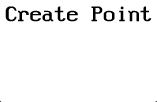
Create New Waypoint
| • |
Press LEFT or RIGHT to view other waypoint editing screens. |
| • |
Press GO to edit the displayed turnpoint. (Not functional in
this demo.) This would bring you to 7 additional screens:
|
|
 • • |
Edit Name |
|
• |
Edit Latitude |
|
• |
Edit Longitude |
|
• |
Edit Elevation |
|
• |
Edit ID# |
|
• |
Landpoint? |
|
• |
Turnpoint? |
| |
|
|
|
Once in these screens you could:
|
|
• |
Press LEFT or RIGHT to select a character or parameter to edit. |
|
• |
Press UP or DOWN to change the selected character or parameter. |
|
• |
Press GO to store the new information and return to the Main Navigation
Screen. | | |